Add Image Add Story Add Video Add Magazine Add Guide

Support Entropia Museum

Entropia Museum is a community-driven archive preserving the history of Entropia Universe. If you would like to help support the hosting and development of the archive, you can contribute below.

£0 raised Goal £127

Entropia Universe Version Updates

This archive preserves the complete history of Entropia Universe Version Updates, documenting the technical evolution of the platform and the development of its virtual worlds. Each update represents a snapshot in the ongoing transformation of the universe, from early system foundations and gameplay mechanics to major graphical upgrades, planetary expansions, and platform milestones.

The release notes collected here provide insight into how the real-cash economy virtual universe has evolved over time — including engine transitions, interface redesigns, new systems, balance adjustments, and community-driven improvements. Together they form a chronological technical record of the changes that shaped Entropia Universe from its early years to the modern era.

Use the search function to explore specific Version Updates, locate historical features, or trace how particular systems and mechanics have developed across different eras of the universe.

VU 17.1 March 3, 2020
Entropia Universe 17.1a Release Notes
Fixes
  • Fixed an issue allowing blueprints to be looted in PVP areas. Any blueprints looted in PVP after the VU 17.1 release earlier today have been transferred back to the original avatars. The looting avatars have also received compensation.
  • Fixed an issue causing instance gates not to work as expected, resulting in avatars becoming stuck in the instance.

Known Issues
  • Market history for UL blueprints displays in percentages instead of PED values.


MindArk and the Planet Partners strive to ensure a smooth and problem-free Version Update. Nevertheless, even after extensive testing some issues may arise after release. Such issues are often addressed via mini-patches directly after a release and in subsequent patches. If you feel that the possibility of encountering minor issues or bugs directly after a Version Update affects your gameplay to an extent that Entropia Universe is not enjoyable, please wait until the mini-patches have been released and any last minute issues have been resolved.


VU 17.0.5 January 31, 2020
Entropia Universe 17.0.5 Release Notes
Fixes

  • Fixed an issue causing Crystal Palace shares not to distribute the full dividend to all share holders. The undistributed dividends will be paid out in the next dividend disbursement in addition to the ordinary dividends.
  • Fixed an issue causing a client crash associated with the use of some keyboards with LCD screens.

MindArk and the Planet Partners strive to ensure a smooth and problem-free Version Update. Nevertheless, even after extensive testing some issues may arise after release. Such issues are often addressed via mini-patches directly after a release and in subsequent patches. If you feel that the possibility of encountering minor issues or bugs directly after a Version Update affects your gameplay to an extent that Entropia Universe is not enjoyable, please wait until the mini-patches have been released and any last minute issues have been resolved.


VU 17.0.4 January 21, 2020
Entropia Universe 17.0.4 Release Notes
Fixed issues:
  • The Error Message UI will no longer be hidden by fullscreen windows, in dungeons or by user controlled mob
  • Fixed an issue where you cannot see the new makeup until you released left mouse button
  • Fixed an issue where the Ad Screens background showed up as black
  • Fixed an issue where some custom textures became black

MindArk and the Planet Partners strive to ensure a smooth and problem-free Version Update. Nevertheless, even after extensive testing some issues may arise after release. Such issues are often addressed via mini-patches directly after a release and in subsequent patches. If you feel that the possibility of encountering minor issues or bugs directly after a Version Update affects your gameplay to an extent that Entropia Universe is not enjoyable, please wait until the mini-patches have been released and any last minute issues have been resolved.


VU 17.0.3 December 12, 2019
Entropia Universe 17.0.3 Release Notes
DX11 Information:
!
For your computer to have DirectX 11 support, you need two components: the software, and compatible hardware.
The DirectX 11 API (the software component) usually comes by default with Windows.
You can check the version of the DirectX API installed on your computer by looking at your dxdiag, listed as DirectX Version.
The hardware component refers to your graphics card. Cards older than Nvidia's 400 GT series or AMD's HD 5000 series will come with an older version of DirectX and will not be compatible with DirectX 11, even if you have it installed.
If you're not sure which version of DirectX your graphics card supports, you can, as with the API version, check on your dxdiag. It will be listed as DDI Version on the Display tab.
If your graphics card supports DirectX 10, but you have the DirectX 11 API installed, you still only have DirectX 10 support.
Likewise if your graphics card supports DirectX11, but you only have the DirectX 10 API installed. You will always only have support for the older version between the two.
!
In this patch, fallback support for DirectX 10 is added. Essentially, this means that when the API detects that you have a graphics card that only supports DirectX 10, it will fall back to using DirectX 10.
However, this fallback may be removed in the future when we add graphical features that DirectX 10 cannot handle. If your graphics card does not support DirectX 11, we recommend upgrading to a newer card before the fallback support is removed.
!
Changes

  • Event list is now again under main context menu -> system
!
Fixed Issues

  • Fixed an issue that caused the screenshot action to give corrupted screenshots
  • Fixed an issue that caused some inventory icons to show up corrupted
!
MindArk and the Planet Partners strive to ensure a smooth and problem-free Version Update. Nevertheless, even after extensive testing some issues may arise after release. Such issues are often addressed via mini-patches directly after a release and in subsequent patches. If you feel that the possibility of encountering minor issues or bugs directly after a Version Update affects your gameplay to an extent that Entropia Universe is not enjoyable, please wait until the mini-patches have been released and any last minute issues have been resolved.


VU 17.0.2 December 10, 2019
Entropia Universe 17.0.2 Release Notes
Changes:
  • Improved visual quality of unlit areas
  • Increased ambient occlusion
  • The brightness setting slider has been adjusted to be linear and go darker

Fixed issues:
  • Fixed an issue where combat text didn’t show for damaging destructibles
  • Fixed an issue where Blueprints could crash the client
  • Fixed an issue where the Avatar could become emissive after a skill boost
  • Fixed an issue where it could crash the client when switching between tabs in the Entropia Exchange
  • Fixed an issue where the effect of an attachments attachment didn’t work if equipped on an already equipped tool
  • Fixed an issue where it would crash the client when trying to use the make-up system
  • Fixed an issue where colors were switched in the Make-up system
  • Fixed an issue where the error message text position was not adjusted when changing resolution

MindArk and the Planet Partners strive to ensure a smooth and problem-free Version Update. Nevertheless, even after extensive testing some issues may arise after release. Such issues are often addressed via mini-patches directly after a release and in subsequent patches. If you feel that the possibility of encountering minor issues or bugs directly after a Version Update affects your gameplay to an extent that Entropia Universe is not enjoyable, please wait until the mini-patches have been released and any last minute issues have been resolved.


VU 17.0.1 December 6, 2019
Entropia Universe 17.0.1 Release Notes
Fixed Issues:

  • Fixed an issue where it was not possible to claim the Codex rewards
  • Fixed an issue where tiering was not displayed correctly on listed auctions
  • Improved client stability
MindArk and the Planet Partners strive to ensure a smooth and problem-free Version Update. Nevertheless, even after extensive testing some issues may arise after release. Such issues are often addressed via mini-patches directly after a release and in subsequent patches. If you feel that the possibility of encountering minor issues or bugs directly after a Version Update affects your gameplay to an extent that Entropia Universe is not enjoyable, please wait until the mini-patches have been released and any last minute issues have been resolved.


VU 17.0 December 3, 2019
Entropia Universe 17.0 Release Notes
Platform
A major overhaul to the graphics engine of the Entropia Universe client is featured in this release. DirectX 11 has been implemented, please see below for associated changes and features.

While many areas and scenes will show major improvement with regard to lighting and realism, some content has not yet been optimized for the new system, particularly Planet Partner content. Upcoming Version Updates will build upon the additions and capabilities introduced in this release

These changes to the graphics engine may cause certain textures, items and areas to look slightly different or introduce unexpected graphical issues. Please report any graphics-related issues by submitting a support case under the Technical -> Video and Graphics category.

  • The rendering API now uses Microsoft DirectX 11, which requires Windows Vista or later. Windows XP is no longer supported.
  • Physically based rendering is now used throughout Entropia Universe.
  • Physically accurate falloff from light sources.
  • Gamma corrected output.
  • Filmic tonemapping.
  • Overhaul of the glow and bloom systems.
  • Reworked camera auto exposure.
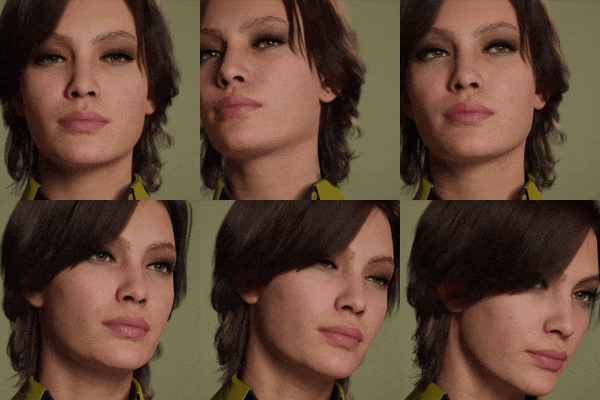
  • Improved shading for vegetation, water, glass, skin and hair.
  • Brightness slider now applies brightness before tonemapping.
  • Contrast slider has been removed from the options menu.
  • Fullscreen mode is now always windowed fullscreen.
  • A new VR action has been added to the Action Library, which launches Virtual Reality for Oculus Rift. (Note that this system is still experimental and not fully supported).
  • To avoid any issues the graphics settings are reset to default during the update, make sure to select your prefered settings after logging in.

New Features
  • Enhancers inserted into (L)imited items will now break much less often.
  • 100% of the Trade Terminal value of enhancers is now returned in the form of Shrapnel when an enhancer breaks.
  • Increasing the Tier Level of an item during the Tier Upgrade process is no longer dependent on the Tier Upgrader profession. All tiering attempts will now automatically succeed.
  • 100% of the Trade Terminal value of the ingredients required to increase the Tier Level of an item is now always returned, in the form of Shrapnel (none of the required ingredients are returned).
  • A second decimal place has been added to item Tier Levels. All existing items have had a 9 added in the second decimal place. For example, an item that had a Tier Level of 3.9 will now have a Tier Level of 3.99.!
  • It is no longer necessary to drag items from inventory to the Tier Upgrade interface. Items from your avatar's Inventory as well as from an open Storage Terminal will automatically be used in the Tier Upgrade interface. Items in storage containers, vehicle inventories, etc. will however not be used.
  • It is now possible to increase the Tier Level of an item in storage.
  • Destructible environmental items now provide loot in the form of Shrapnel. Destructible explosive items that cause damage to nearby creatures transfer their loot to the damaged creatures.
  • The current Trade Terminal value of attached attachments is now displayed in the base item’s tooltip info.
  • For better visibility, common warning messages are now displayed in the middle of the screen rather than in the chat window.
  • It is now possible to “protect” equippable items and attachments, preventing them from being traded, dropped, placed on auction, exchanged with NPCs, or sold to the Trade Terminal. To protect an item, toggle “Protect Item” icon in the Item Info panel. Items that are protected will show a “P” on the item icon status bar.
  • It is now possible to attach and remove attachments and enhancers to/from items without unequipping the base item.
  • The name of equipped weapons and tools with a condition below 10% is now displayed in yellow text in the dashboard.
  • The currently viewing avatar’s name is highlighted in orange text when viewing scoreboards.
  • Added Buy orders to the Entropia Exchange (previously “Share Center”). Buy orders always match the lowest available price first. Buy orders will match older Sell orders first if there are multiple Sell orders with the same price. Buy orders can match qualifying Sell orders regardless of remaining Sell order quantity.
  • Added market history graphs to the Entropia Exchange
  • Added a Transactions tab to the Entropia Exchange -> Holdings view that displays a history of share transactions and revenue payouts. Double click on the company name to view history.

Changes
  • The Share Center has been renamed to the Entropia Exchange and can be accessed by right-clicking on the PED Card or via the Action Library.
  • Global and Hall of Fame loot values no longer display decimals.
  • It is now possible to toggle the display of private messages in the Main chat tab.
  • Smoke trails have been removed from spaceships.
  • Creatures killed by automated turrets, drowned, or despawned by the system will return loot in the form of Shrapnel, when appropriate.
  • The Tier Upgrade icon is now only displayed in the Item Info panel if an item can be tiered.
  • It is now possible to deal and receive damage of values less than 1.
  • Added visual and sound effects to the Codex when gaining a new rank.
  • Improved the display of information in the Global Events List.
  • Added icons for and improved the display of Codex notifications.
  • Improved the tooltip information provided for Action Library icons.
  • Prices and markup are now displayed in the tooltip when hovering the mouse over items in a shop or shopkeeper.
  • Damage over time effects no longer cause creatures or the targeting reticule to flash.
  • Tier Upgrader skills are no longer gained when increasing the Tier Level of an item.
  • The arrival safe animation has been removed.

Fixed Issues
  • Fixed an issue causing unexpected results when using sorting options in the Codex.
  • Fixed an issue causing message tabs to not reliably highlight when receiving a private message.
  • Fixed an issue preventing crosshairs from updating properly after entering a mothership.
  • Fixed an issue causing avatars to be unexpectedly removed from dynamic Mayhem instances in certain situations.

Known Issues
  • Avatars will sometimes glow unexpectedly after receiving a skill boost. Going into first person mode and back to third person will fix this.
  • Certain modeled terrain features, such as the roof of the second Gauntlet, display unexpected bright borders between detail textures.
  • The Polished Chrome Texture does not display correctly.
  • Codex rewards can only be chosen when opening the Codex interface via the Codex action icon.
  • The effect of “Tier increase rates” is currently not working as intended with the tiering changes.
  • When adding an attachment to an equipped item with another attachment on it (e.g scope + laser sight), the effect of the secondary attachment (laser) is not applied until the item is re-equipped.
  • Codex rewards cannot be claimed, but progress is not lost.


MindArk and the Planet Partners strive to ensure a smooth and problem-free Version Update. Nevertheless, even after extensive testing some issues may arise after release. Such issues are often addressed via mini-patches directly after a release and in subsequent patches. If you feel that the possibility of encountering minor issues or bugs directly after a Version Update affects your gameplay to an extent that Entropia Universe is not enjoyable, please wait until the mini-patches have been released and any last minute issues have been resolved.


VU 16.5.2 October 1, 2019
Entropia Universe 16.5.2 Release Notes
Changes
  • Changed values below 1 PED to always be displayed in decimal format (i.e. 0.12 PED) rather than in PEC (12 PEC).
  • The Pyrokinesis skill has been added to Hunting Challenge skill rewards.
  • Adjusted the skill reward choices for selected creatures for various stages of Codex ranks.


MindArk and the Planet Partners strive to ensure a smooth and problem-free Version Update. Nevertheless, even after extensive testing some issues may arise after release. Such issues are often addressed via mini-patches directly after a release and in subsequent patches. If you feel that the possibility of encountering minor issues or bugs directly after a Version Update affects your gameplay to an extent that Entropia Universe is not enjoyable, please wait until the mini-patches have been released and any last minute issues have been resolved.


VU 16.5.1 September 25, 2019
Entropia Universe 16.5.1 Release Notes
Fixed Issues
  • Fixed a client crash issue when copying item link in item info.

MindArk and the Planet Partners strive to ensure a smooth and problem-free Version Update. Nevertheless, even after extensive testing some issues may arise after release. Such issues are often addressed via mini-patches directly after a release and in subsequent patches. If you feel that the possibility of encountering minor issues or bugs directly after a Version Update affects your gameplay to an extent that Entropia Universe is not enjoyable, please wait until the mini-patches have been released and any last minute issues have been resolved.


VU 16.5.0 September 24, 2019
Entropia Universe 16.5.0 Release Notes
New Features
Codex
  • The Codex is a repository for creature information and missions. Additional features are planned to be added to the Codex in the future, currently the Codex only features Planet Calypso and Space creatures.
  • This first version of the Codex features creature entries that are unlocked by encountering creatures while exploring the universe.
  • Codex entries can be unlocked by scanning or by participating in the kill of a creature (including healing and absorbing damage).
  • Every creature entry has an associated Hunting Challenge comprised of 26 stages, with the last stage being repeatable.
  • Hunting Challenge missions are now automatically begun once a qualifying creature is killed; there is no need to visit a mission terminal or mission NPC.
  • Hunting Challenge rewards are distributed by the Codex.
  • Hunting Challenge progress supports group hunts, and is not dependent upon an avatar being a member of a team, nor is it dependent on a creature having shared loot enabled. All participants of a qualifying creature kill will gain Hunting Challenge progress relative to contribution. (Loot distribution mechanics are unaffected by the changes to mission progress).
  • All avatars start at Stage One of the Hunting Challenge for all creatures in the Codex.

Entropia Exchange
  • It is now possible to place sell orders for shares on the Entropia Exchange, with a maximum duration of 7 days.
  • Sell orders are grouped together based on price and are executed based on order timestamp, with older orders being executed first.
  • Existing shares can be acquired by browsing active sell orders on the Entropia Exchange.
  • There is a transaction fee of 0.25% of the sale price for all sell orders, with a minimum fee of 25 PEC and a maximum fee of 25 PED. Fees for the unfulfilled portion of sell orders are refunded once the order expires.
  • An alert is sent to the Message Center when a sell order has been fulfilled.

Chat Channels
  • Avatars now automatically rejoin the previous session’s custom chat channels when logging in.
  • Avatars are removed from custom chat channels when disconnected or logged out from Entropia Universe.
  • Custom chat channels no longer have restrictions on the number of members.
  • Custom chat channel membership is retained across server restarts and client login sessions.

Changes
  • Added a new option in Options/Gameplay to “Only Interact with Locked Enemies”.
  • Improved the display of persistent buffs.
  • The Client Loader no longer steals focus when launching the Entropia Universe client.
  • Objects displayed in the Item Info panel can now be rotated using the middle mouse button.
  • Adjusted the size of the recently added News interface.
  • Loot outlines now only appear on creatures that the avatar is able to loot.
  • The View Achievements context menu item is now disabled if the target avatar has not enabled the Share Achievements privacy option.
  • Adjusted interaction text for various interfaces and buttons (i.e. Auction->Place Bid, Lamps-> Turn On/Off, Body Sculpting Unit).
  • Attempting to view or place a bid on an auction which has ended will now be indicated properly.
  • Added the ability to attach enhancers to an item by dragging and dropping them onto the item’s inventory icon.
  • Avatars are now revived instantly by H-DNA consumables, but movement is restricted for 10 seconds.
  • Added a feedback message in the chat window when inviting an avatar to a team: "Team invite sent to .".
  • Opening Strongboxes can now be performed by using the Spacebar key.
  • Avatars attempting to repair mothership modules will now automatically move within range when necessary.
  • The interaction interface for repair tools now respect the tool’s range with regard to mothership modules.
  • An alert is now displayed in the login window whenever Caps Lock is active.
  • The Market Value menu option is no longer displayed for items that cannot be traded.

Fixed Issues
  • Fixed an issue preventing the Client Loader from repairing corrupted files upon patching.
  • Added a button in the Folders tab in the Client Loader Tools window to start local data verification.
  • Fixed an issue causing creature names to disappear when hovering the mouse over the buff icon on the creature nameplate.
  • Implemented various client stability improvements.

Known Issues
  • The Entropia Exchange does not update sell orders while the interface is open. Relaunching the interface will update the sell order information.

MindArk and the Planet Partners strive to ensure a smooth and problem-free Version Update. Nevertheless, even after extensive testing some issues may arise after release. Such issues are often addressed via mini-patches directly after a release and in subsequent patches. If you feel that the possibility of encountering minor issues or bugs directly after a Version Update affects your gameplay to an extent that Entropia Universe is not enjoyable, please wait until the mini-patches have been released and any last minute issues have been resolved.